
Connection, engagement, and support in one simple app.
ChimeBuddy helps senior living communities stay connected with messaging, chat rooms, games, reminders, help requests, facility information, and optional safety alerts.
The ChimeBuddy Story
A day in the life of a more connected community.
See how residents, staff, and everyday moments come together when communication, engagement, and support live in one simple experience.
Resident connection
Faster staff follow-through
One connected platform
Press play to experience ChimeBuddy in action.
Request a Demo
Built for Senior Living
Everything your community needs to connect, communicate, and simplify daily life.
💬
Messaging
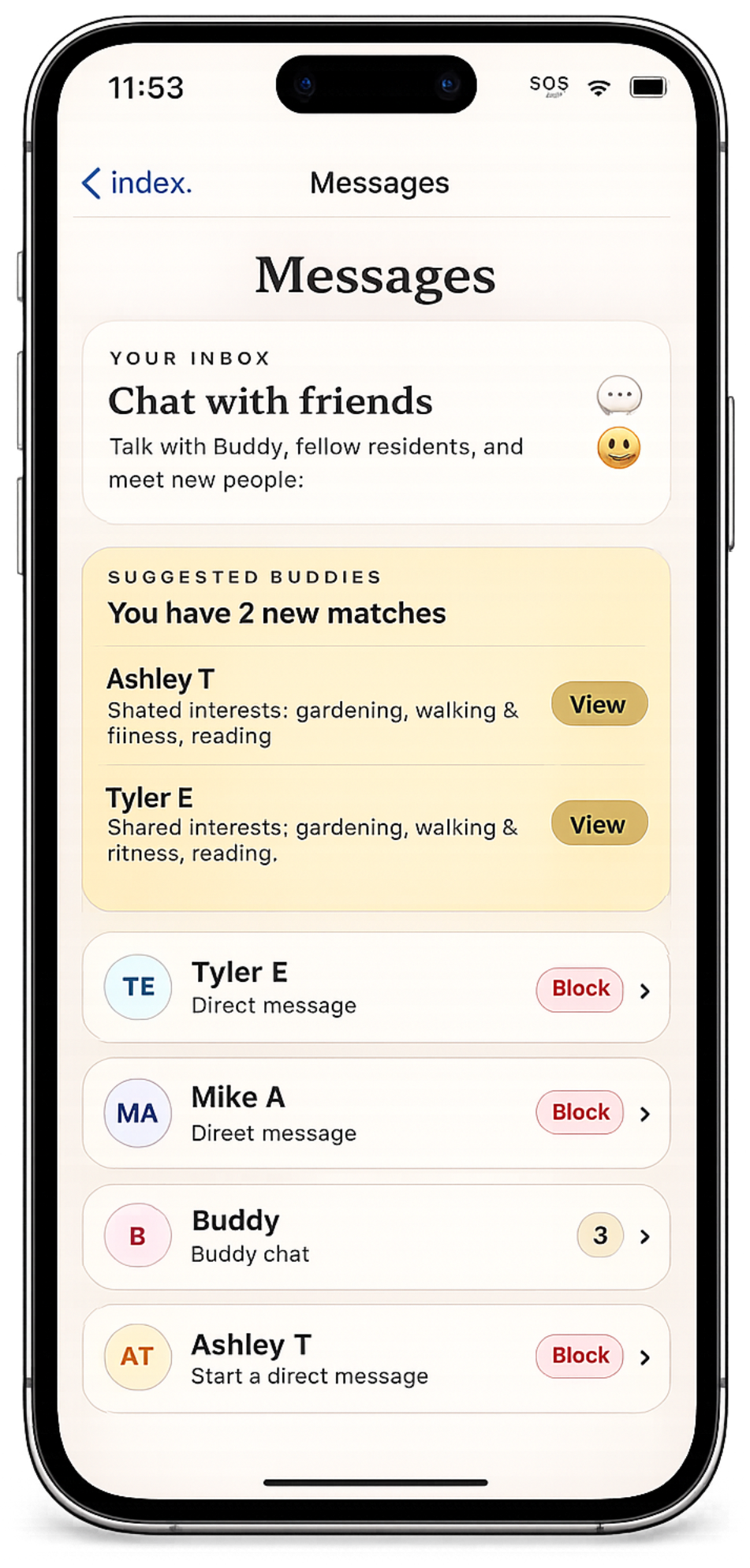
Private messages with Buddy, residents, and staff.
👥
Chat Rooms
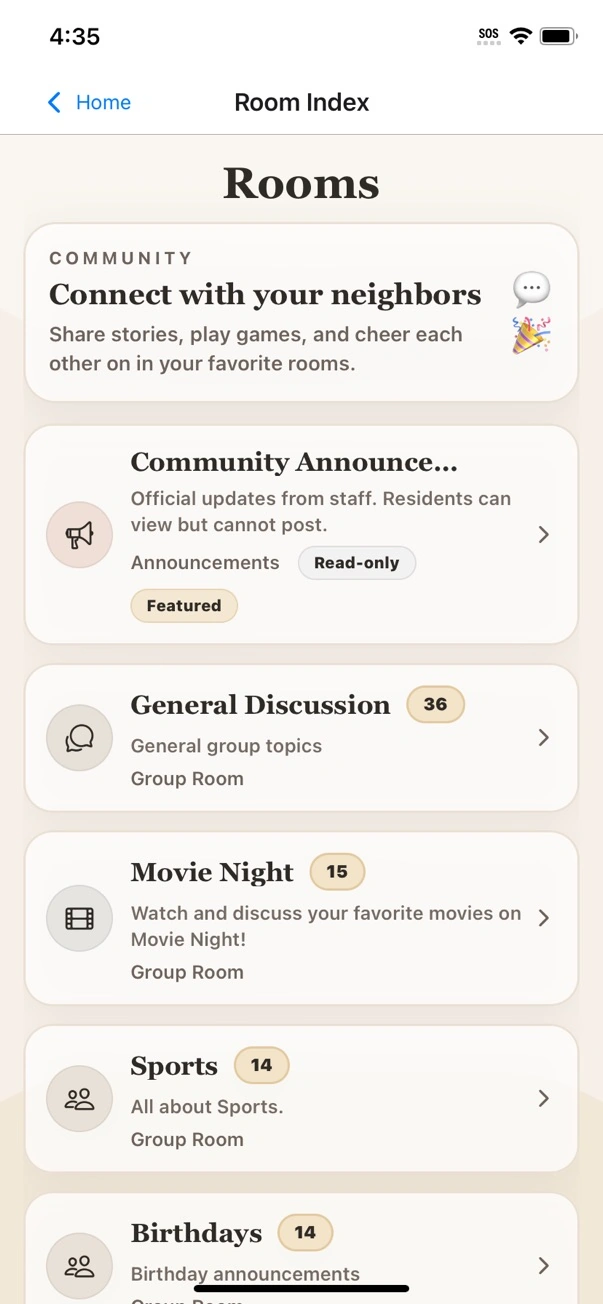
Community conversations and interest-based rooms.
🎮
Games
Buddy Defense, Buddy’s Garden, Bingo, and Trivia to play solo or with residents.
🔔
Reminders
Never miss an event, medication, or important update.
🎟️
Help Tickets
Request assistance and track status in real time.
🏢
Facility Info
Access menus, events, documents, and updates.
For Residents
- Stay connected with fellow residents and staff.
- Join community conversations.
- Enjoy games and activities anytime.
- See events, reminders, and community updates.
- Ask for help easily.
For Staff
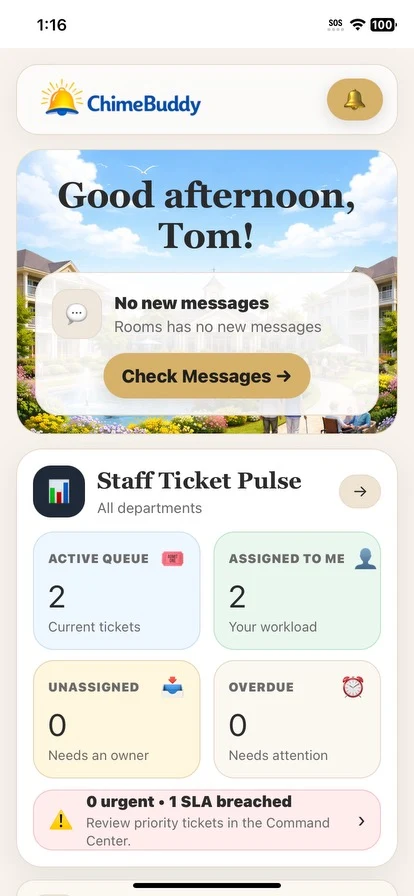
- Communicate quickly with residents and teams.
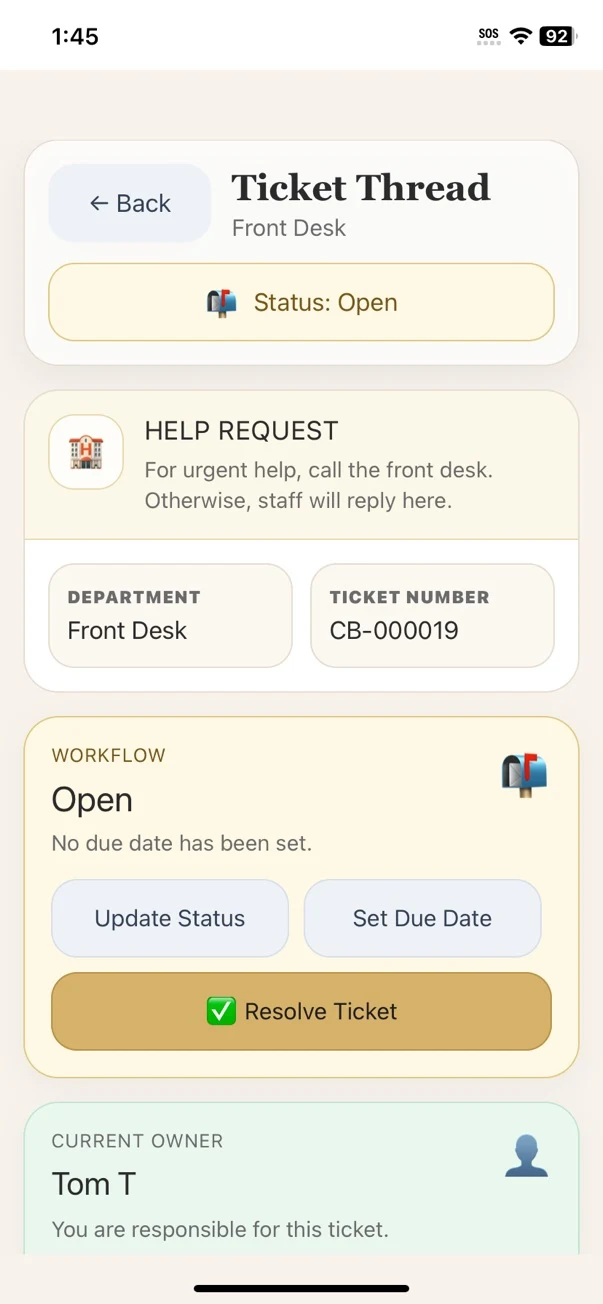
- Route and manage help tickets efficiently.
- Send staff announcements and important updates.
- Support residents and keep the community running smoothly.
Why facilities use ChimeBuddy
👥
Reduce isolation
Keep residents connected with each other, staff, and loved ones.
💬
Improve communication
Share updates, events, and announcements in real time.
🎟️
Organize requests
Track resident requests from start to finish.
Resident Games
4
Game experiences
20
Buddy Defense levels
Daily
Reasons to return
Keep residents engaged with Buddy Defense, Buddy’s Garden, Bingo, and Trivia.
ChimeBuddy now offers four distinct game experiences — from a strategic garden-defense campaign and relaxing match levels to familiar community Bingo and friendly Trivia.
🛡️ Buddy Defense strategy
🌸 Buddy’s Garden match levels
🎉 Updated Community Bingo
💡 Trivia and daily scores
- Residents can choose relaxing, strategic, or social game experiences
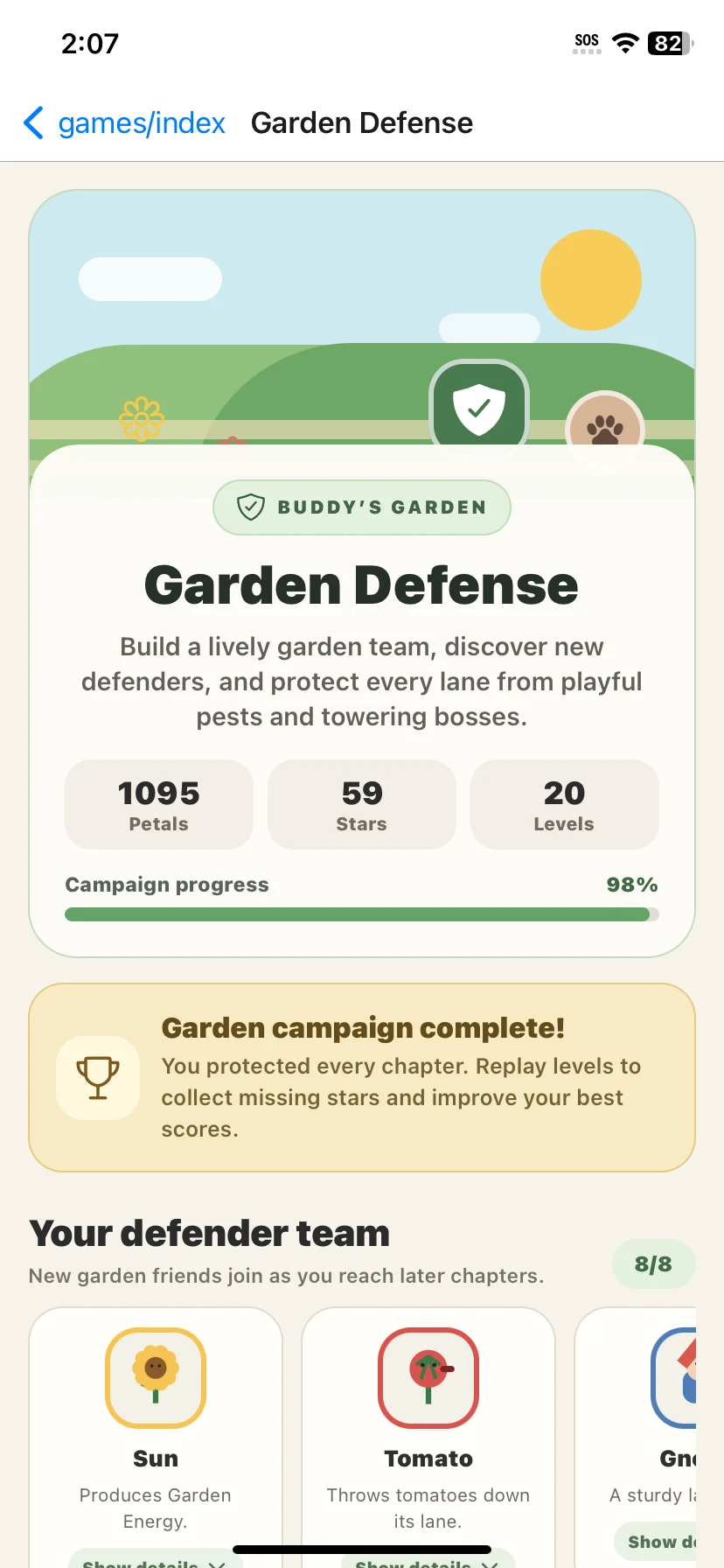
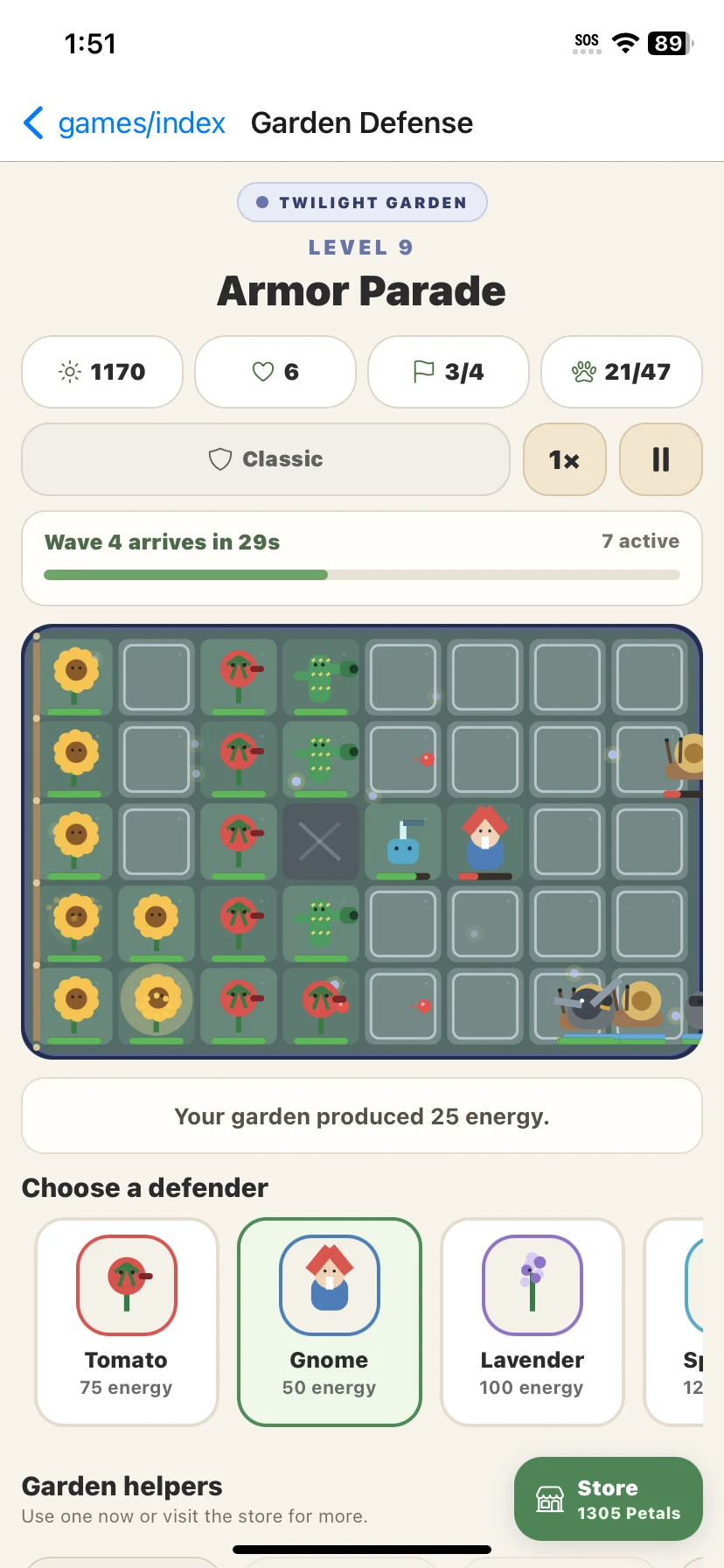
- Buddy Defense adds defenders, energy, waves, bosses, power-ups, and campaign progress
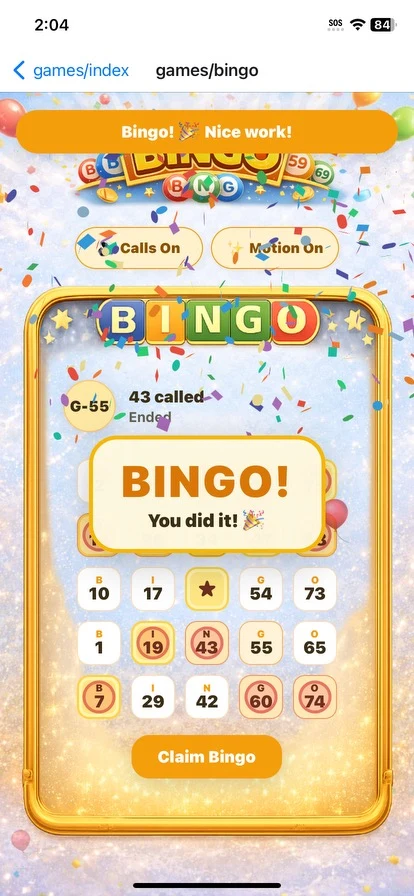
- The refreshed Bingo experience adds more celebration, visual excitement, number calling, and motion controls
New Game
Buddy Defense
Build a garden team, place unique defenders, manage energy, stop waves of playful pests, earn stars, unlock helpers, and progress through a complete campaign.
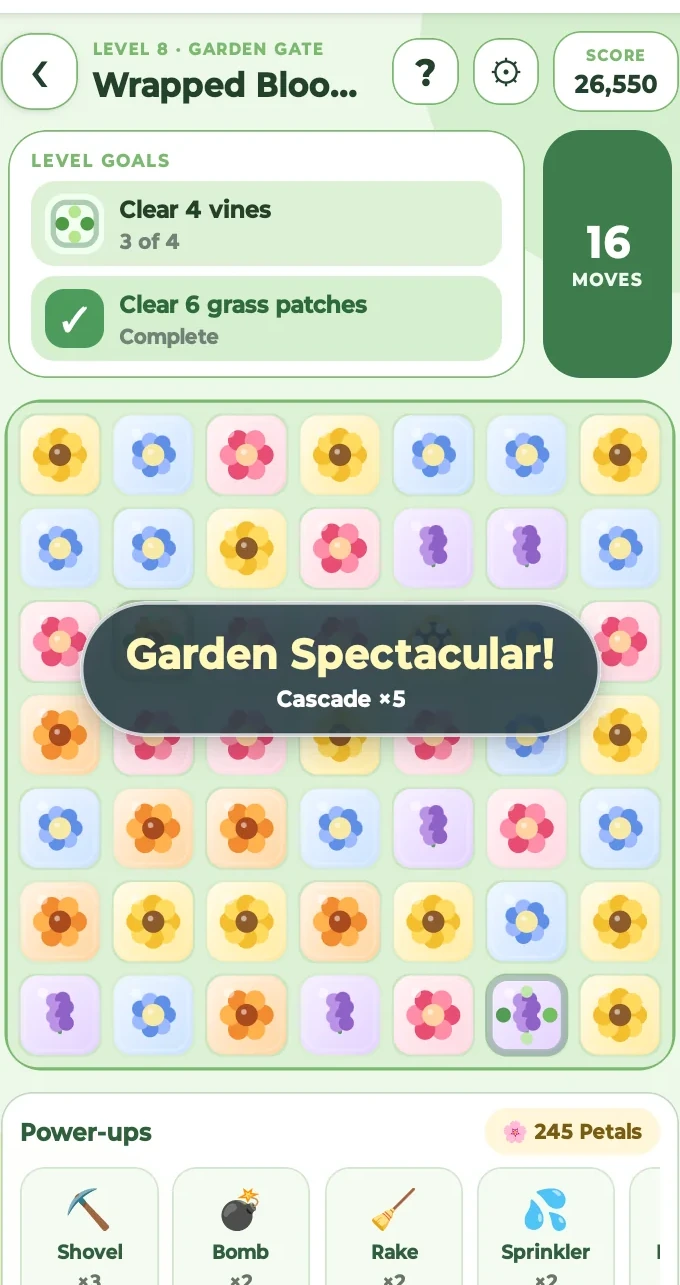
Buddy’s Garden
A cheerful match game with garden-themed chapters, level goals, helpful power-ups, blockers, stars, and rewards that encourage residents to keep progressing.
Updated
Community Bingo
Residents can hear called numbers, view the letter-number combination, toggle motion, mark their board, claim Bingo, and celebrate a win with a brighter, more animated experience.
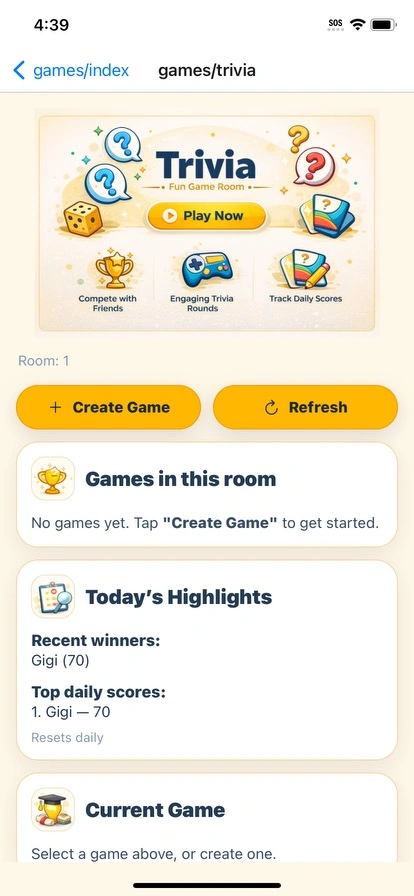
Trivia Rooms
Trivia gives residents a reason to gather around questions, compare daily scores, and create friendly moments with neighbors and friends.
Designed for independent play and community participation.
Residents can enjoy a strategy or match level independently, then join shared Bingo and Trivia experiences that create conversation starters, daily highlights, friendly competition, and more reasons to connect.
Events & Activities
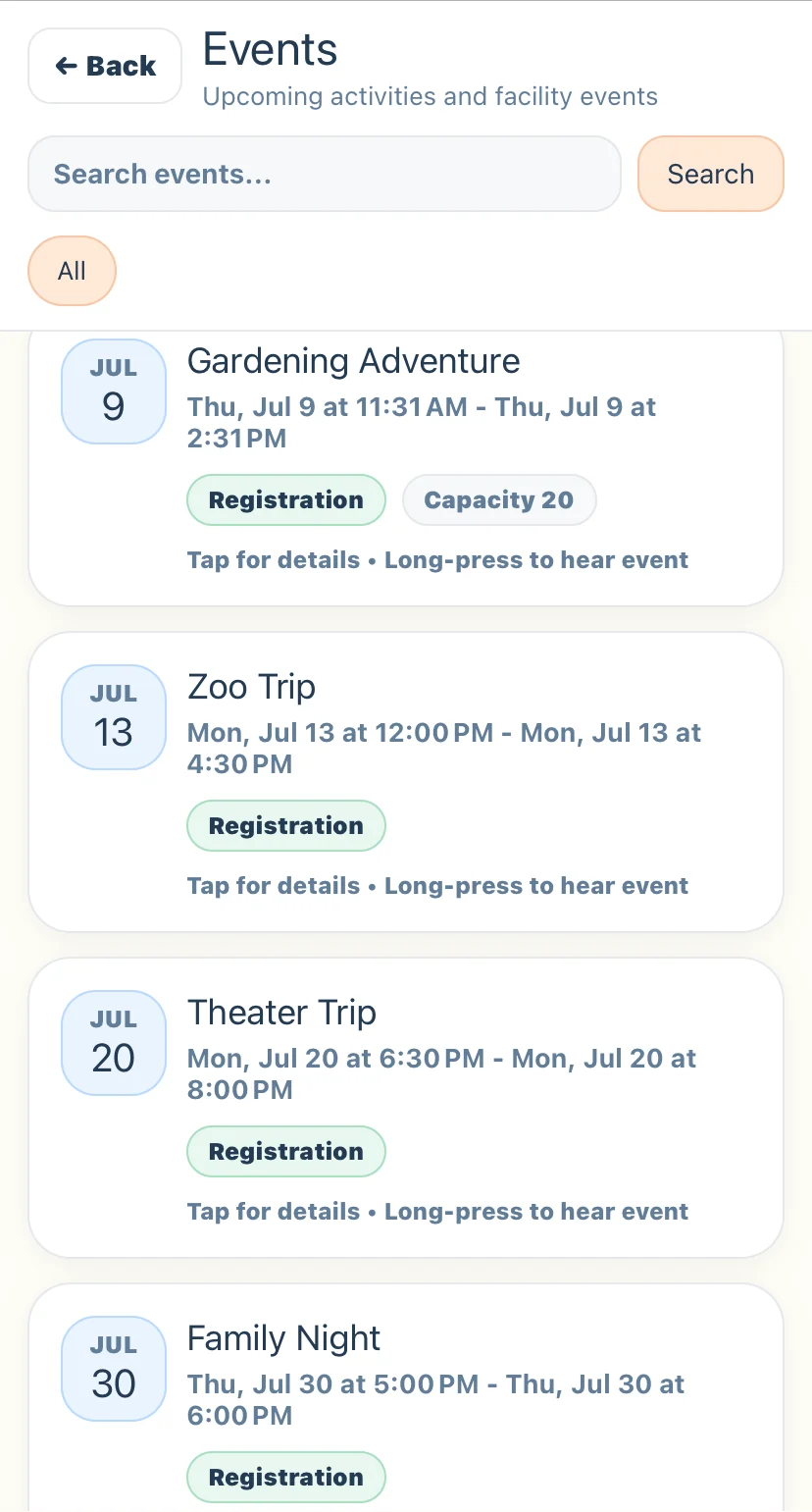
From finding an event to knowing who is attending.
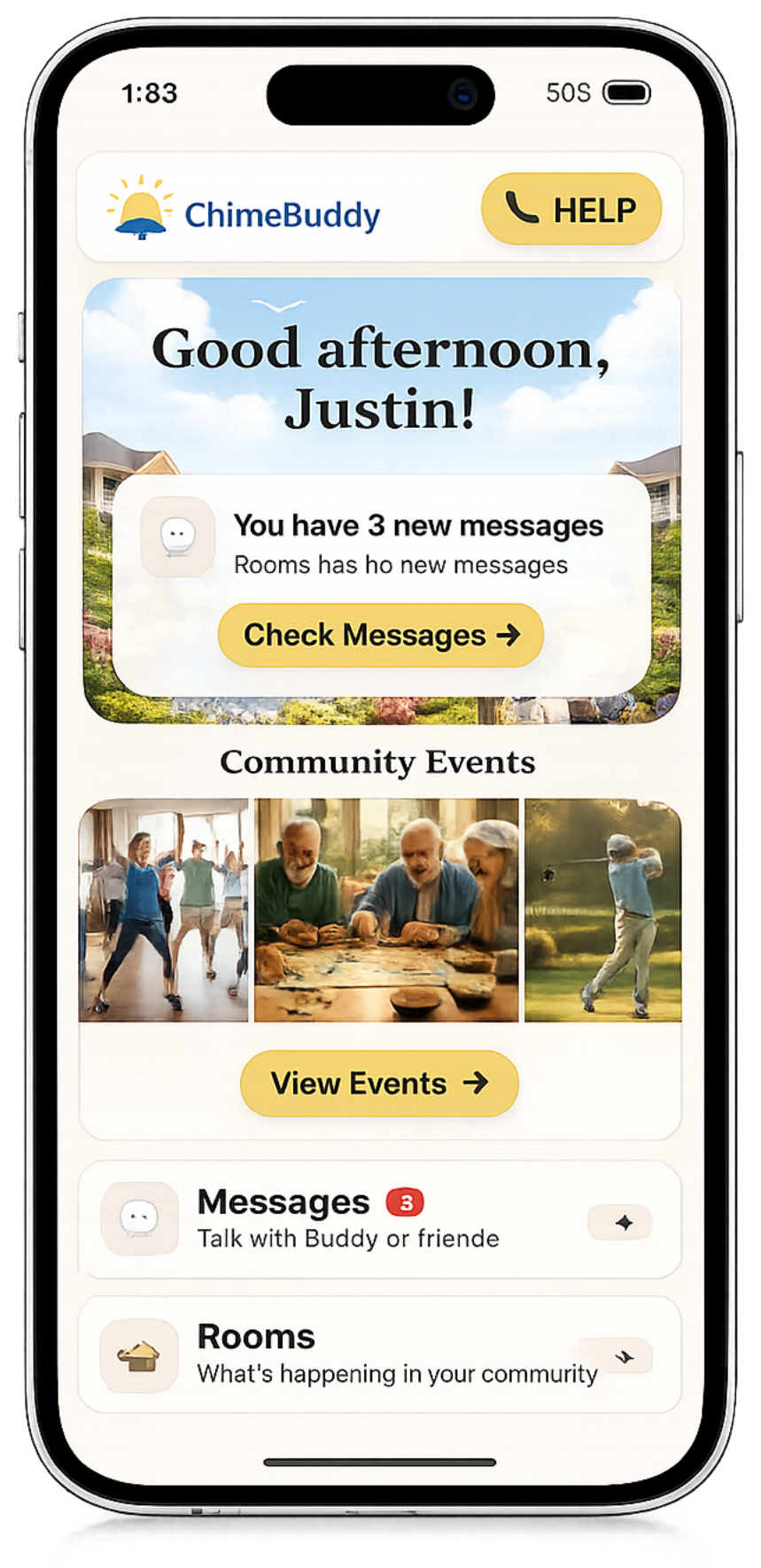
Residents can browse activities, register, and receive reminders, while staff can review registrations and plan with confidence.
1
Browse upcoming events
Clear dates, times, and registration details
2
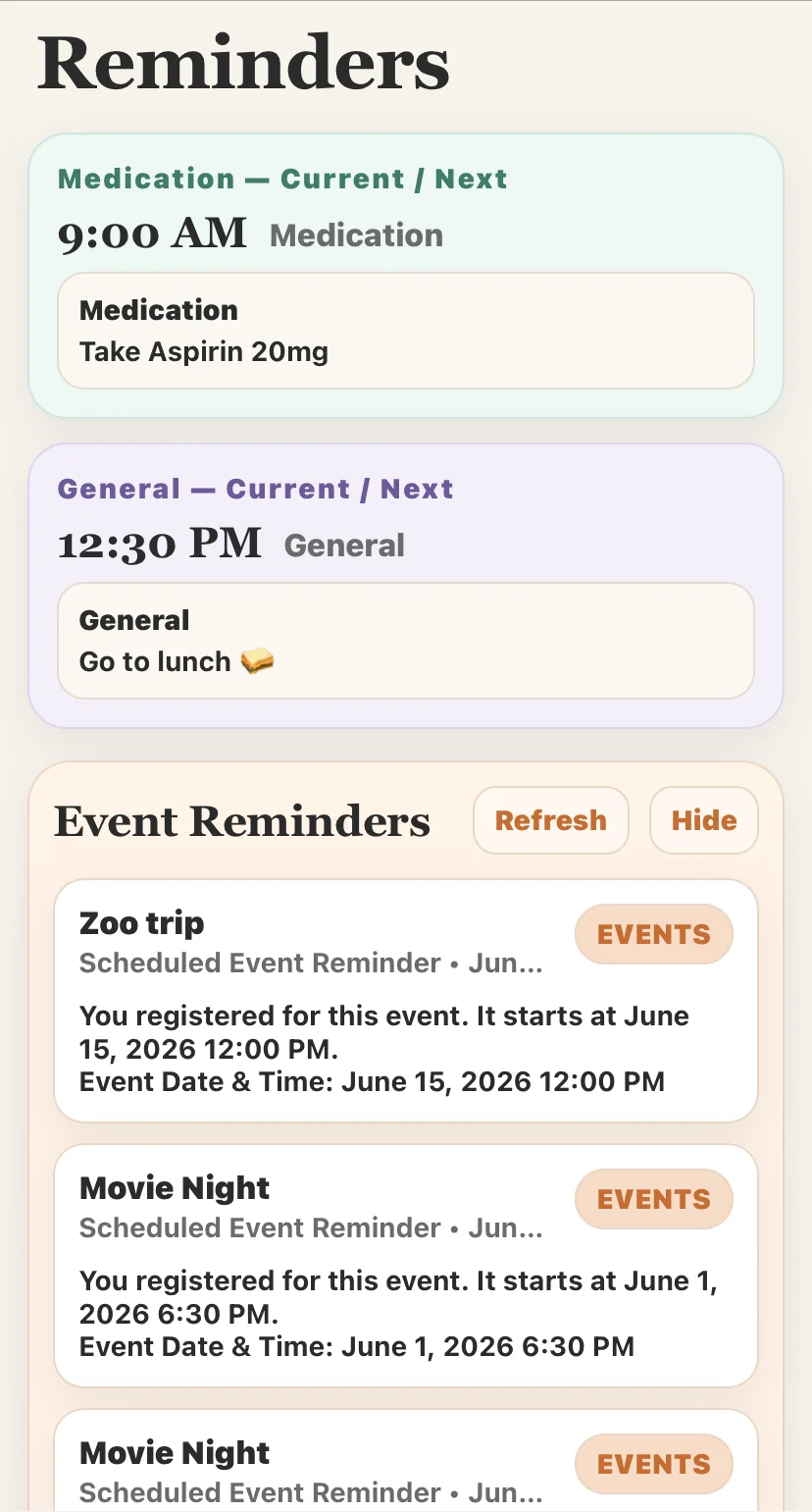
Keep residents informed
Registered events appear with their reminders
3
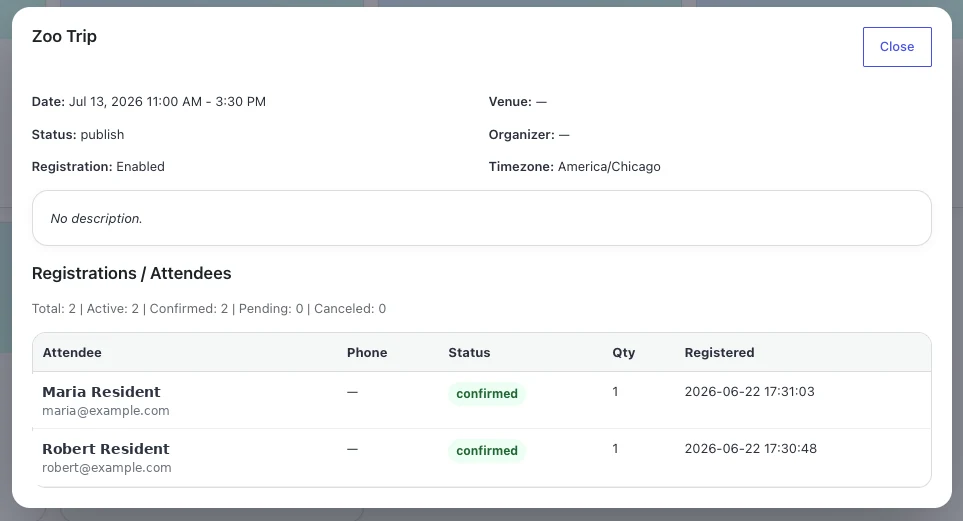
See registrations at a glance
Staff can review attendee status and totals
Simple resident registration
Built-in event reminders
Clear staff attendee lists
Amenity Reservations
Make every community amenity easier to reserve.
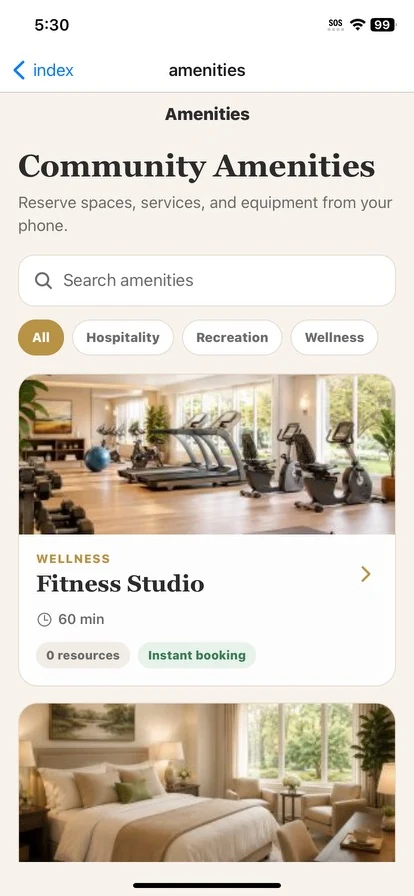
Residents can browse spaces, services, and equipment, choose an available resource and time, and keep upcoming reservations organized in one place. Staff manage the entire process from the ChimeBuddy admin portal.
Minute, hourly, or daily bookings
Instant confirmation or approval
Multiple resources per amenity
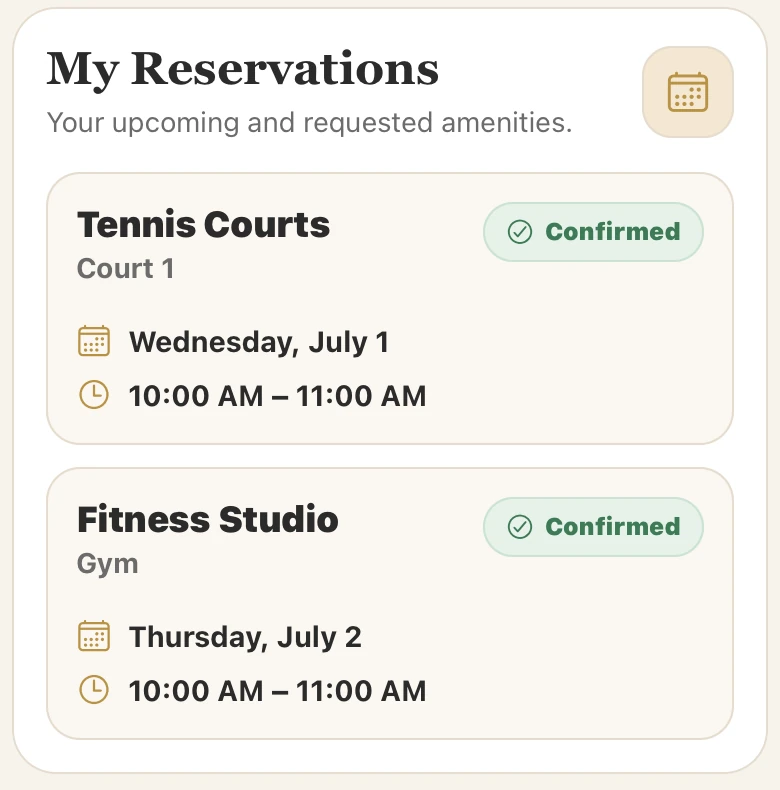
Upcoming reservations
For residents
1
2
3
A clear booking journey from discovery to confirmation.
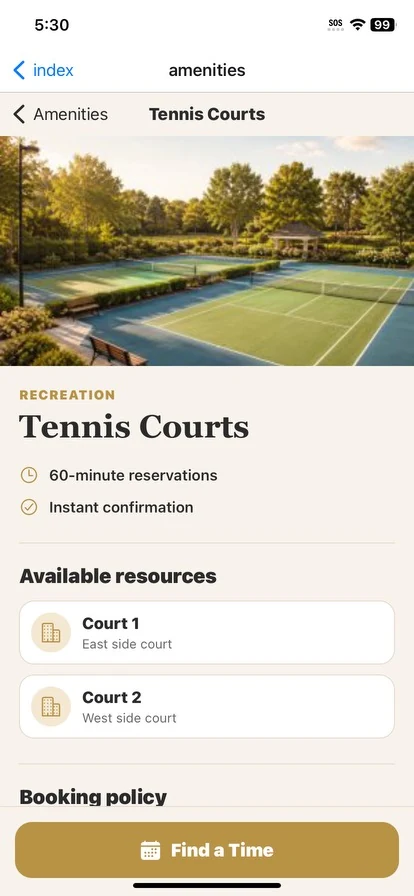
Senior-friendly screens make it simple to find the right amenity, understand the booking policy, select a resource, and reserve an available time.
BrowseSearch by category, space, service, or equipment.
Choose a timeSelect the date, duration, and available resource.
ReserveReceive confirmation instantly or submit for staff approval.
- Upcoming and requested reservations stay visible in the app
- Booking policies are shown before a resident selects a time
- Works for courts, guest suites, fitness spaces, equipment, and more
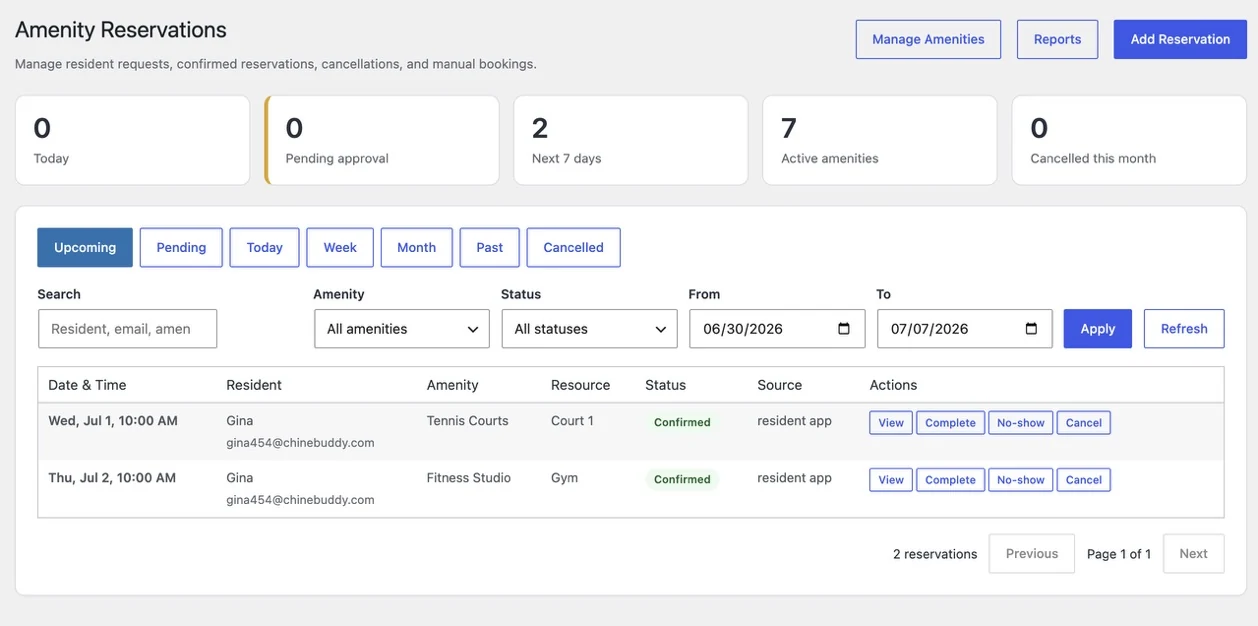
For staff
One dashboard for requests, bookings, and reporting.
Staff can review upcoming reservations, approve requests, create manual bookings, update statuses, handle cancellations, and see amenity activity without leaving the ChimeBuddy portal.
✓ Approvals
+ Manual bookings
↻ Status updates
▥ Reports
Learn More About Amenity Reservations →
See more about Amenity Reservations
Dining Reservations
Manage dining reservations across one or multiple locations.
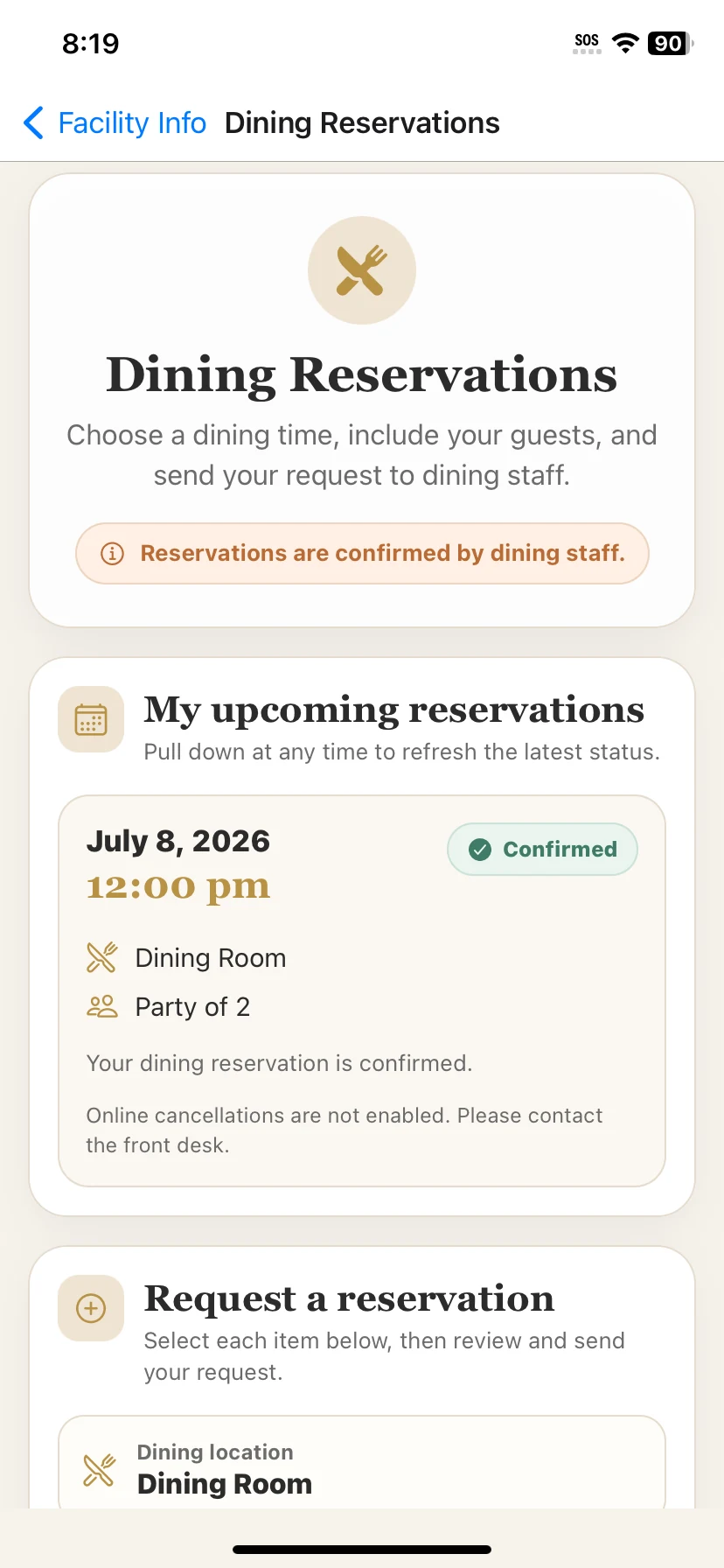
Residents can request a table in the main dining room, a bistro, or another on-campus restaurant, while staff confirm requests, manage capacity, and keep every reservation organized inside ChimeBuddy.
Staff-confirmed reservations
Multiple dining locations or restaurants
Party size and guest support
Flexible location setup
3 active
-
🍽
Main Dining Room Breakfast, lunch, and dinner service
-
☕
Garden Bistro Casual dining, coffee, and snacks
-
🥂
Private Dining Family meals and special occasions
Reservations confirmed by staff
For residents
1
2
3
A familiar request flow that feels simple and senior-friendly.
Residents can choose a dining location, pick a date and time, add a party size or guests, and quickly see whether a reservation is pending or confirmed.
Choose a locationSelect the dining room, bistro, or restaurant you want to visit.
Pick a timeChoose the dining time, party size, and any guest details.
Send the requestDining staff confirm the reservation and keep residents updated in the app.
- Supports one dining room or multiple dining venues across the community
- Helpful status updates show whether a request is pending, confirmed, or completed
- Ideal for standard meal service, special events, and family dining reservations
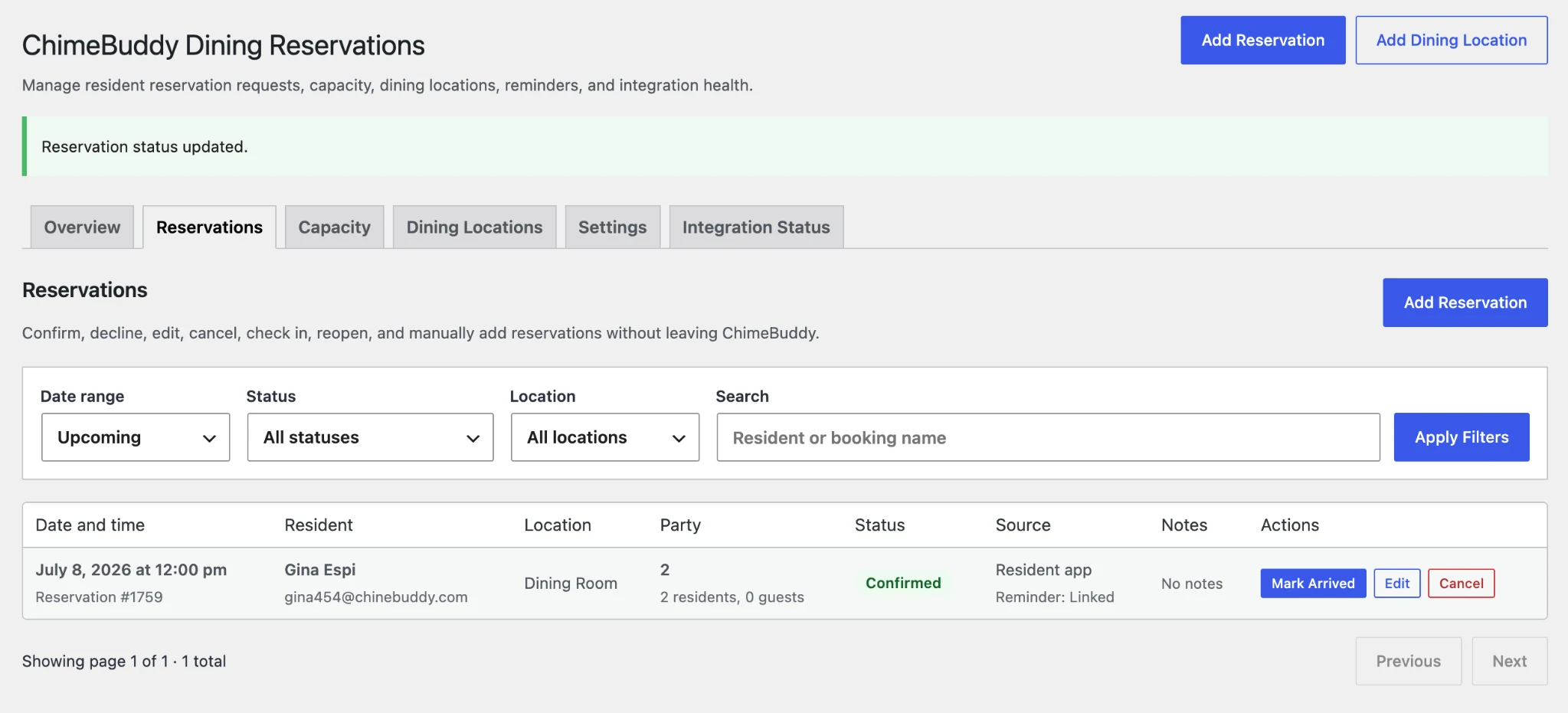
For staff
Review requests, manage capacity, and oversee every dining location.
The ChimeBuddy admin portal gives staff one place to confirm or decline requests, create manual reservations, manage dining locations, and keep reminder status visible for each booking.
✓ Confirm or decline
+ Manual reservations
⌂ Multiple locations
🔔 Reminder visibility
Front Desk notified
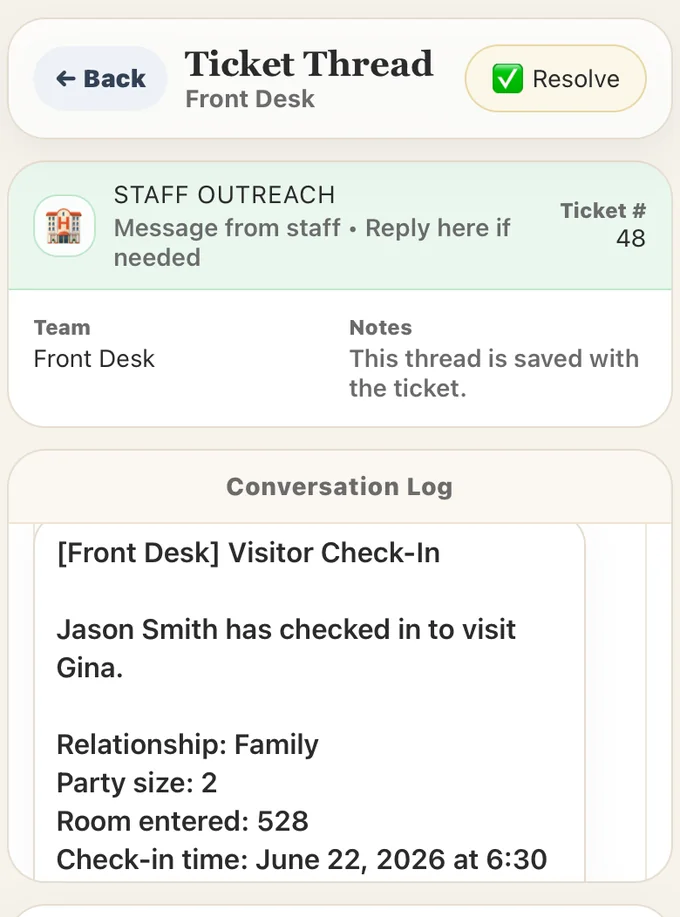
Visitor Management
A simpler welcome for visitors and staff.
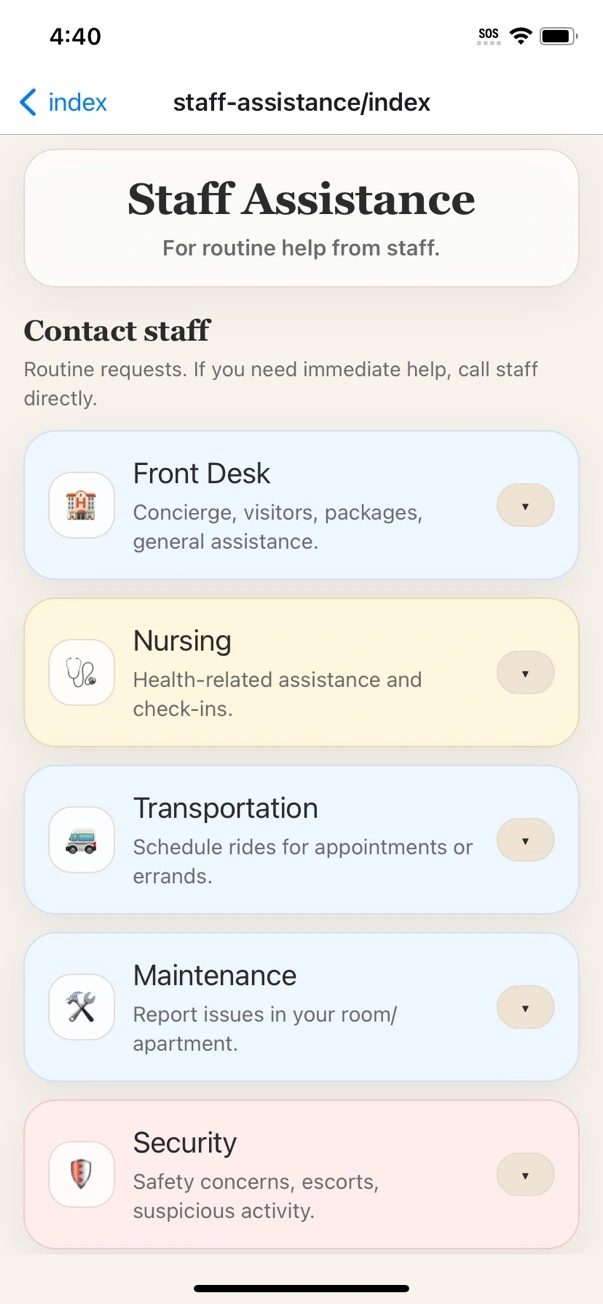
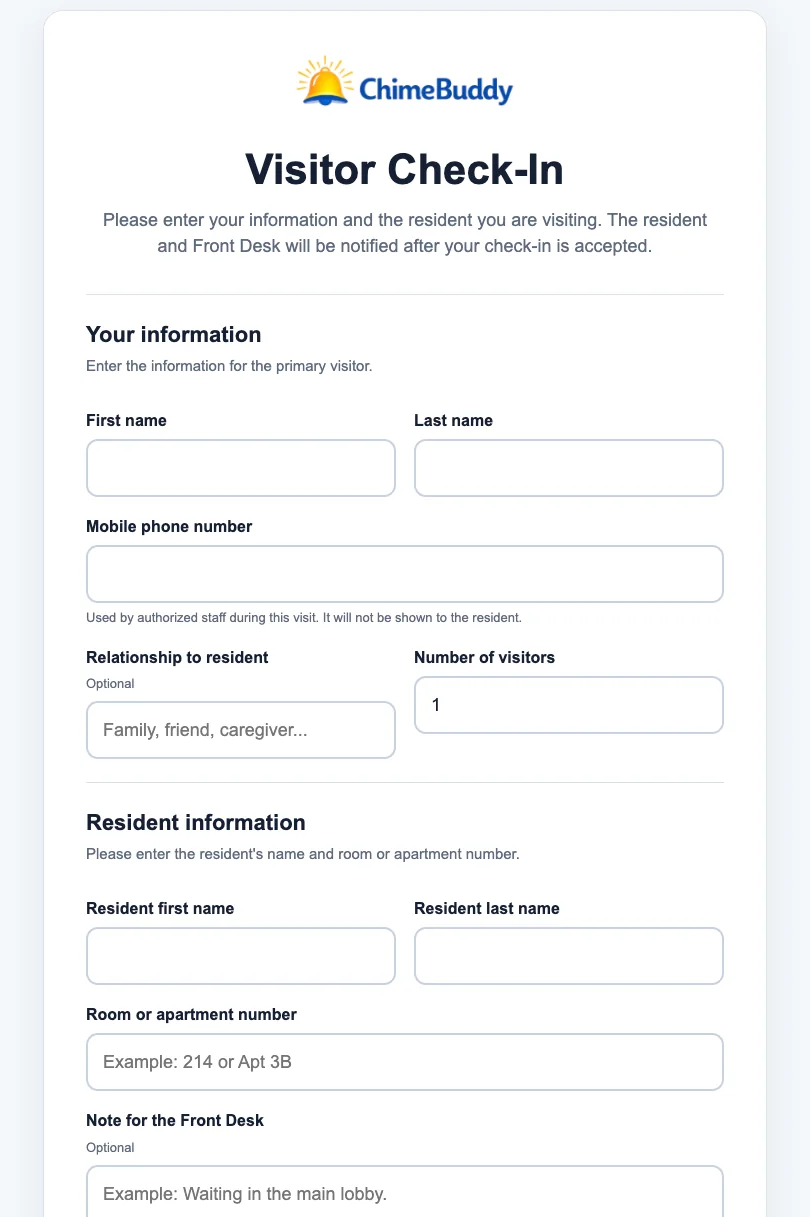
Guests check in through a clear, facility-friendly form. ChimeBuddy then creates a Front Desk ticket with the visitor, resident, room, party size, and visit details so staff can respond quickly.
- Fast self-service visitor check-in
- Resident and room information captured
- Front Desk ticket created automatically
- Staff can review, update, and resolve the visit
Optional Location Safety
Safety awareness without continuous tracking.
If enabled by both the resident and facility, ChimeBuddy can provide arrival and departure alerts at the facility boundary. The feature is optional, permission-based, and designed with privacy in mind.
- Optional and permission-based
- Arrival and departure awareness
- Facility boundary only
- No continuous location tracking
Family Portal
Give families a secure window into daily life.
ChimeBuddy helps loved ones stay informed without adding more phone calls to the front desk. Families can see community updates, activity signups, selected safety information, requests, documents, and visit-related reservations from one inviting portal.
Peace-of-mind dashboard
Read-only announcements
Document acknowledgments
Visit planning tools
Community updates
Families can follow important facility announcements and daily updates.
Activity visibility
Show event signups, upcoming activities, and engagement highlights.
Front Desk requests
Family members can send non-emergency messages through staff tickets.
Documents & acknowledgments
Share documents, collect typed-name acknowledgments, and track completion.
Learn More About the Family Portal →
See the Family Portal in a Demo
Today’s Snapshot
Gina's Day
No active safety alerts. One announcement update.
Buddy
SafetyActive
Activity1 signup
Documents1 pending
Visits2 upcoming
Announcements1 new
Dining room hours updated for Friday.
RequestsOpen
Message the Front Desk about a visit or general question.
DocumentsPending
Resident Agreement is ready for family acknowledgment.
Acknowledge
Guest suite booking
Families can plan visits with approved community amenities.
Permission based
Facilities control what each family role can see or do.
For families
More reassurance, fewer unanswered questions, and a simple way to stay involved.
For communities
Fewer routine calls, clearer document follow-up, and better family communication.
For privacy
Resident links, role-based permissions, and family-safe visibility controls.
See ChimeBuddy in action
Ready to see how ChimeBuddy could work at your facility?
Let’s show you resident features, staff tools, and easy facility setup in action.